EXIF Data Preservation: Keeping Photo Info Intact Online
Different social media platforms and websites handle EXIF data differently. Before uploading your photos, research how the platform you're using handles EXIF data.
By Sneha MohithUpdated 2 min read
In our digital age, we capture and share photos more than ever before. Whether it’s a breathtaking sunset, a mouthwatering meal, or a candid moment with friends, photos help us document our lives and experiences. However, when we share these images online, there’s a risk of losing valuable metadata known as EXIF data. EXIF (Exchangeable Image File Format) data contains essential information about the photo, such as camera settings, date and time, and even location coordinates. Preserving this data can be crucial for photographers, hobbyists, and anyone who values the context behind their images. In this blog post, we’ll explore tips on how to ensure that your EXIF data is retained when sharing or uploading photos online.
- Choose the Right File Format:
One of the first steps in preserving EXIF data is to select the appropriate file format for your photos. JPEG is a widely-used format that usually retains EXIF data, making it suitable for sharing online. However, be cautious when using formats like PNG or GIF, as they may not store as much metadata.
- Check Your Sharing Platform:
Different social media platforms and websites handle EXIF data differently. Before uploading your photos, research how the platform you’re using handles EXIF data. Some sites may strip away this information to protect user privacy, while others may keep it intact. If your platform of choice removes EXIF data, consider sharing your photos through alternative methods to preserve this valuable information.
- Use Metadata-Respecting Tools:
When editing or resizing your photos for online sharing, make sure to use photo editing software that respects EXIF data. Adobe Lightroom, for example, allows you to maintain EXIF data while making necessary adjustments to your images. Avoid using tools that inadvertently remove or alter this information during the editing process.
- Enable Metadata Options:
Many modern smartphones and digital cameras offer settings to control the amount of metadata stored in your photos. Check your device’s settings and enable options to include as much EXIF data as possible. This ensures that vital information, such as the camera model and exposure settings, remains intact.
There are also apps that can view, remove and Edit EXIF metadata for images saved on your device. For iOS user we suggest Exif Viewer by Fluntro.
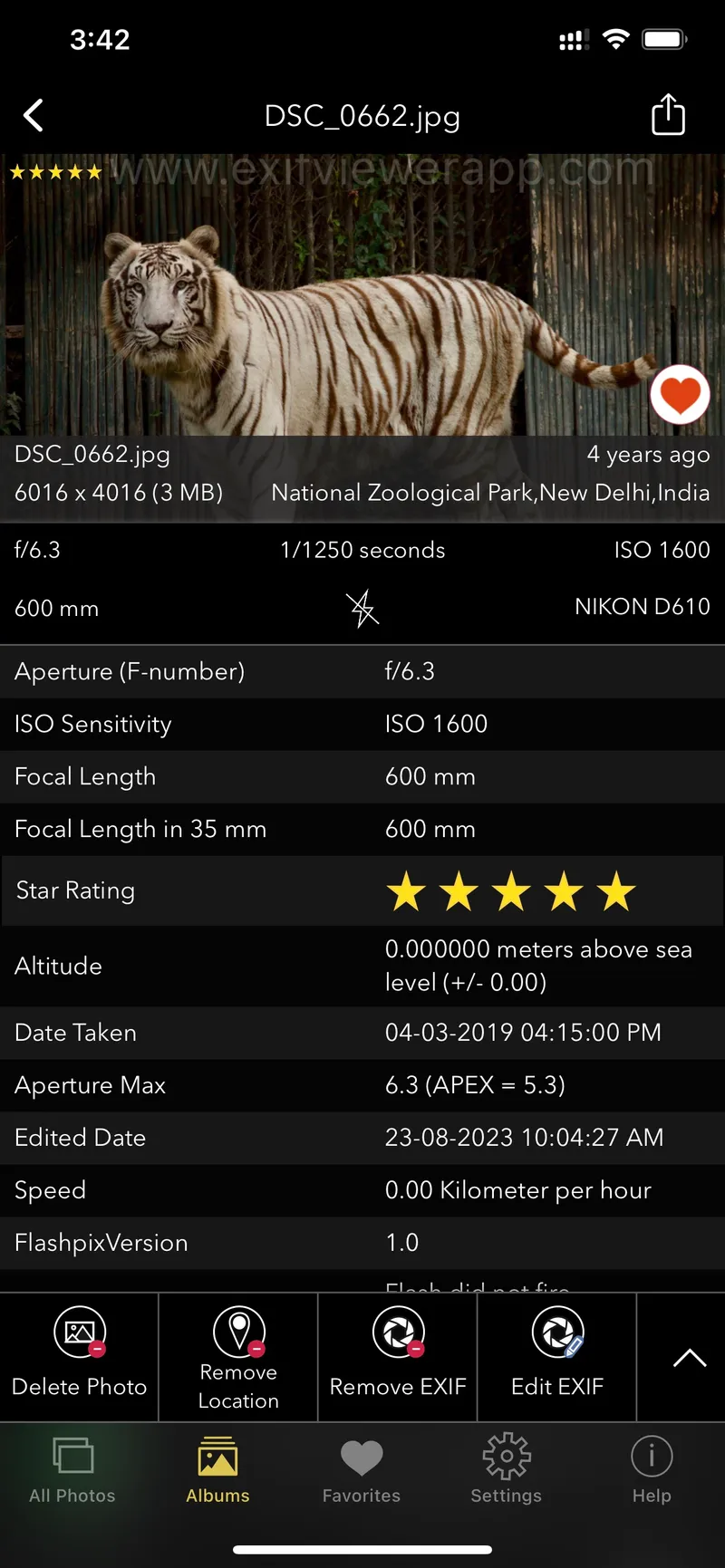
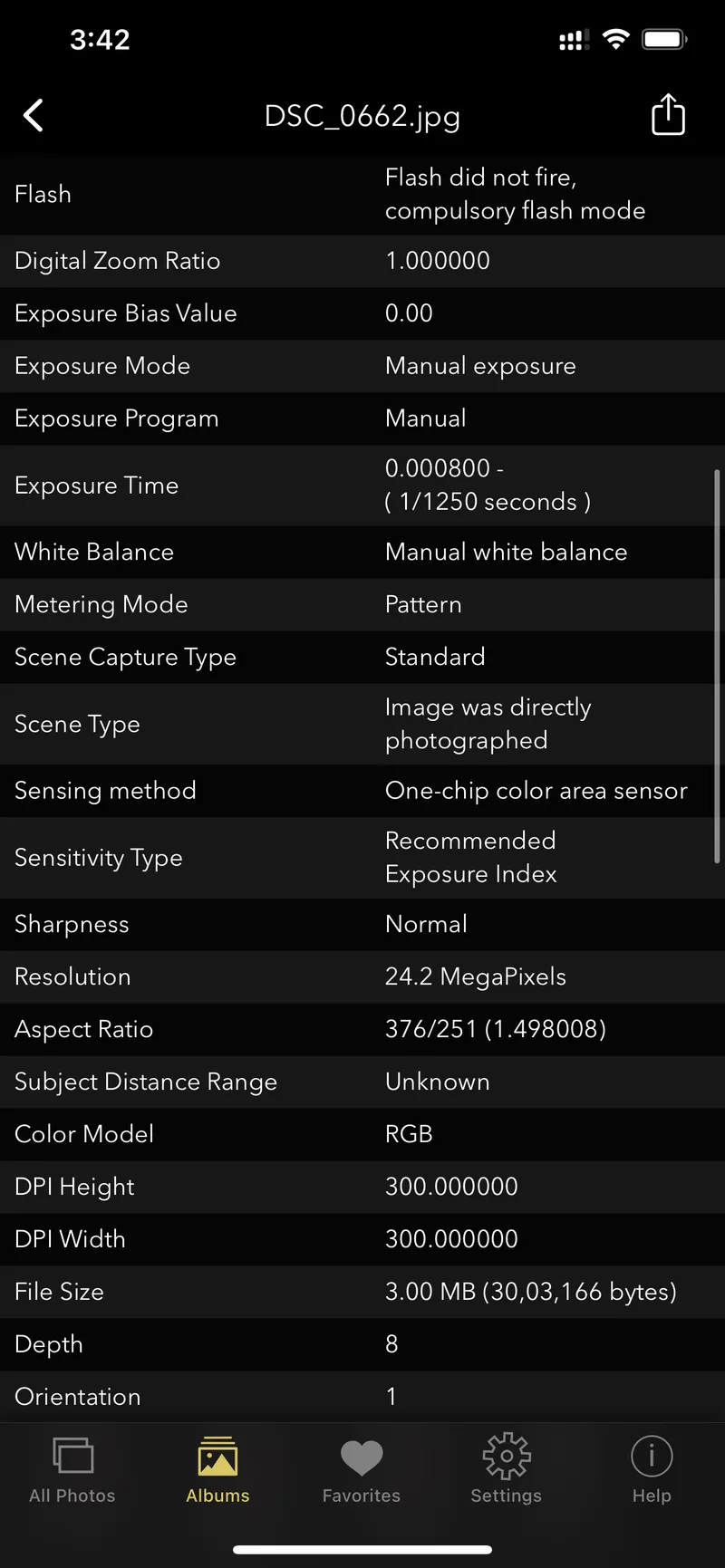
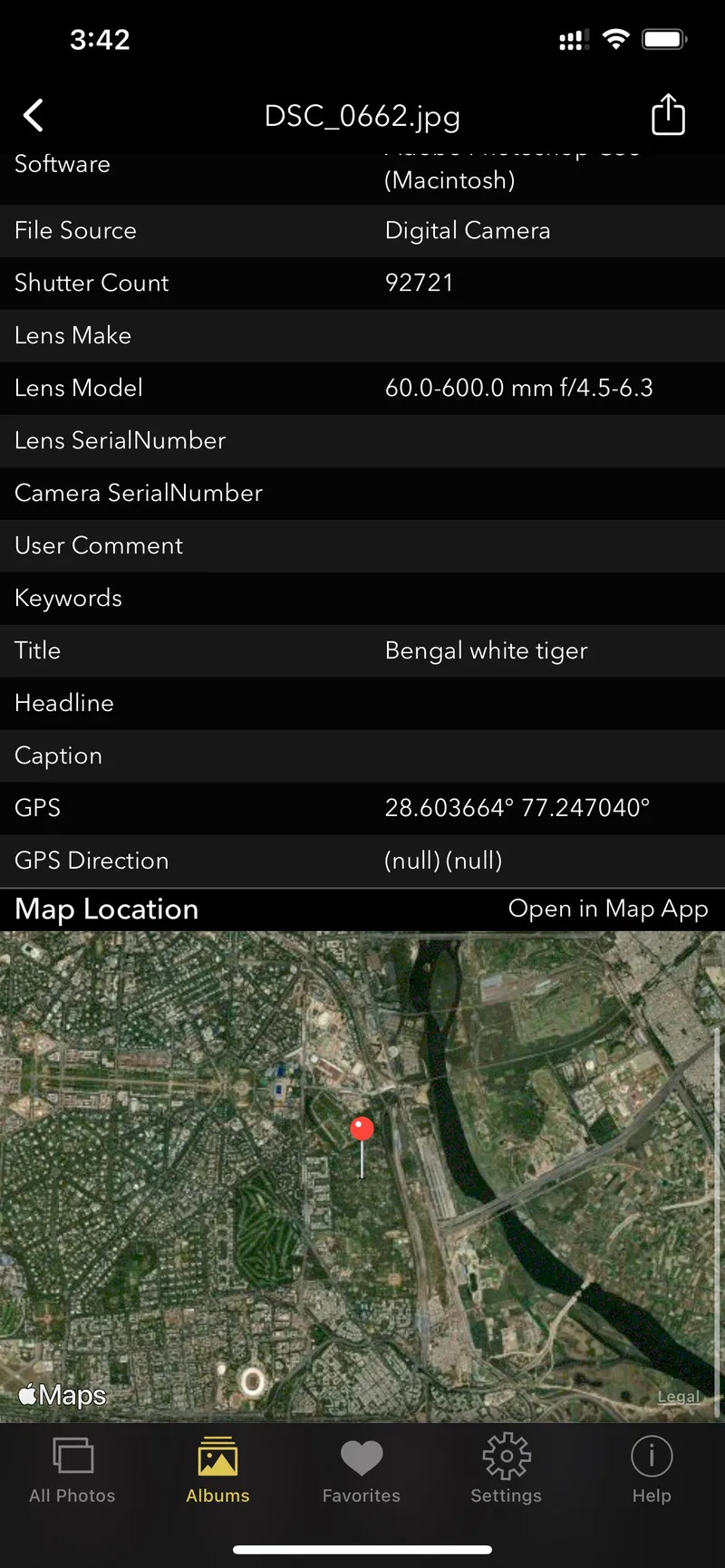
Screenshot of EXIF Viewer by Fluntro app displaying detail view of all exif information of a photo
Related guides
How to Lock and Unlock Hidden Photos on iPhone?
Updated January 10, 2025
Hidden Photos not showing in Albums – How to fix it?
Updated January 3, 2025
How to Edit EXIF Metadata?: Privacy, Corrections, and more..
Updated November 5, 2024
Managing Photo Metadata for Privacy and Control
Updated October 19, 2024