DPI, resolution and file size of photos on iPhone
DPI confuses everyone because it's a label, not a property of the pixels. This hub explains what the number means, how to check it (and the real pixel dimensions and file size) on iPhone, and how big you can print.
4.7· 1.9K ratingsFeatured by Apple

Step-by-step guides
15 articles in this topic.
How many Photos can my iPhone store?
One of the most common questions among New iPhone users is: “How many photos can my iPhone store?” Whether you’re capturing memories, saving screenshots, or
Updated May 25, 2025
How Many Photos Can a Memory Card Hold? 16GB to 1TB
How many photos fit on a 16GB, 32GB, 64GB, 128GB, 256GB, 512GB or 1TB card - JPEG and RAW counts at common megapixel sizes.
Updated December 2, 2024

iPhone Photo Storage: How Much Space Your Photos Take
How much space iPhone photos really take: file sizes by format and mode, and how to manage a library that keeps growing.
Updated October 31, 2024

How Many Megapixels in iPhone – All Models (2024 Update)
Find out the megapixel count for every iPhone model in this 2024 update. Compare camera specs to see how iPhone photography has evolved over the years.
Updated October 31, 2024

How to View DPI, Height and Width of an Image on iPhone
How to view the DPI, height and width of an image on iPhone or iPad using the Photos app, Files, or EXIF Viewer by Fluntro.
Updated October 19, 2024

How to Check Image DPI on Windows, Mac, Linux and iPhone
How to check the DPI of an image on Windows, macOS, iPhone and iPad, and what DPI actually means for print quality.
Updated October 19, 2024

DPI Conversion: How DPI Affects Your Prints
How DPI is calculated, what it does to print quality, and how to convert it - with a look at where DPI is stored in a photo.
Updated October 4, 2024

What to consider before Printing Your Photos?
Printing your DSLR photographs is not just about immortalizing a moment; it's about creating a lasting legacy of your creative expression.
Updated September 30, 2024
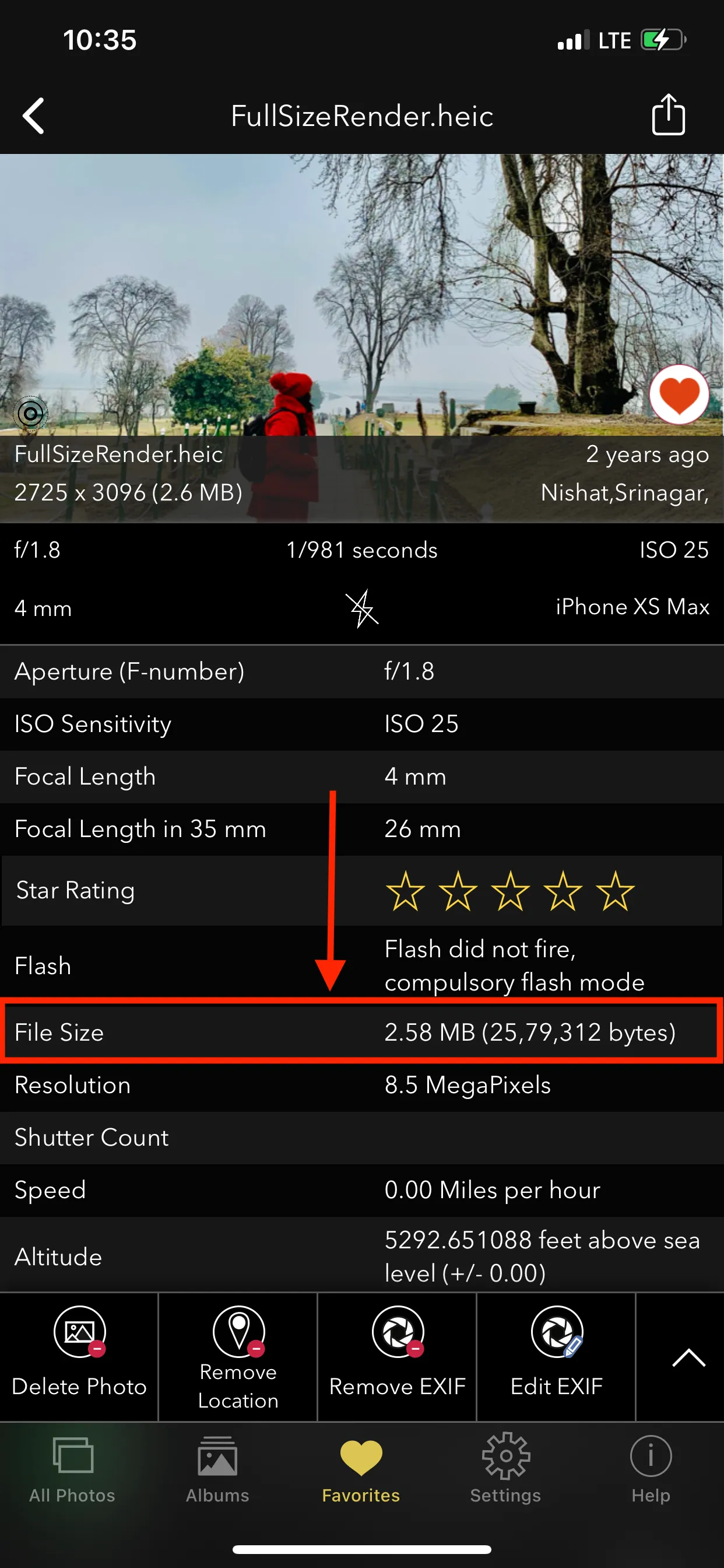
How to Find the File Size of a Photo or Video on iPhone
How to find the file size of a photo or video on iPhone or iPad, and how to spot the files eating your storage.
Updated September 30, 2024
How to change DPI of image ?
Keep in mind that changing the DPI value will affect how the image is printed, but it won't affect its appearance on a screen.
Updated September 29, 2024
Common DPI Misconceptions: Myths Debunked and Explained
Many common misconceptions surround DPI, leading to confusion among photographers, designers, and general users.
Updated September 29, 2024

How to check DPI of an image on your iPhone or iPad
Search for “EXIF” App on Appstore and decide on any EXIF Viewer Apps that allows you to view “DPI”. You may also consider our Exif Viewer App “Exif Viewer by
Updated September 27, 2024
Best Photo Printers for iPhone or iPad: Your Ultimate Guide
Find the best photo printers for iPhone or iPad in 2024. Print high-quality photos instantly with top-rated, wireless, and portable printers.
Updated September 22, 2024
Understanding DPI vs. PPI: A Comprehensive Guide
DPI and PPI are fundamental concepts in the world of digital imaging. Understanding the difference between these two terms is crucial.
Updated September 20, 2024

How to view Photo Resolution on iPhone and iPad
Step by step instruction to view Camera resolution in Megapixels for photos on your iPhone or iPad. Checkout "Exif Viewer by Fluntro" iOS App
Updated March 1, 2022
Questions
Short answers first; the guides above go deeper.
Other topics
What DPI are iPhone photos?
iPhone photos have a stored DPI value of 72 by default. It's irrelevant until you print: a 12 MP photo (4032 × 3024) prints at 13.4 × 10 inches at 300 DPI regardless of the stored value.
How do I check the file size of a photo on iPhone?
Swipe up on a photo in Photos (iOS 15+) to see the size, or use EXIF Viewer to see and sort by file size across your whole library.
How do I find the resolution of a photo on iPhone?
Photos shows the megapixels and dimensions in the info panel. EXIF Viewer shows the exact width and height, DPI and colour profile.
Every photo has a story in its metadata. Read it, fix it, or erase it.
$6.99 once — lifetime. Buy once, use on iPhone and iPad. No monthly subscription, no ads, no account.
4.7· 1.9K ratingsFeatured by Apple

On a computer?
Scan to install on your iPhone or iPad using camera app.